Launch Offer: $20 Off Code UNLEASHED Claim It →
Advanced Sample Flipping Plugin

The Loop Pinscher. Completely Transform Your Loops.

Take a basic, boring loop and change its Timing, Pitch, Key and Effects until it's unrecognizable. Halftime, Double Time, An FX Engine, A Piano Roll Of FX and One-Click Key Matching, all in one plugin.

$39$59Launch Price With Code UNLEASHED

macOS · Windows · VST3 · AU · Works In FL Studio, Logic Pro, Ableton & More
The copper Doberforce Audio medallion: a Doberman head over the words Doberforce Audio Built By Top Level Industry Producers
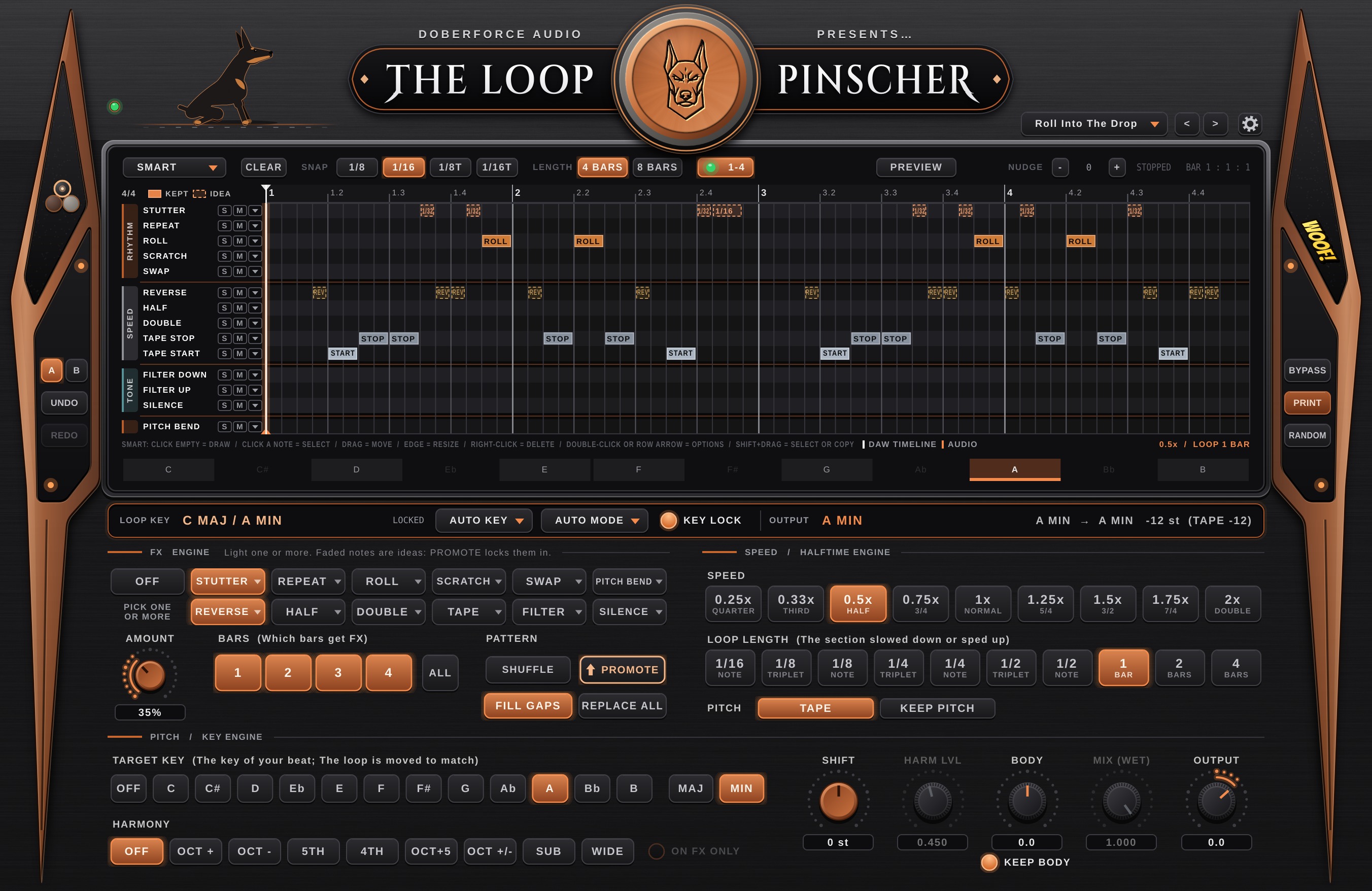
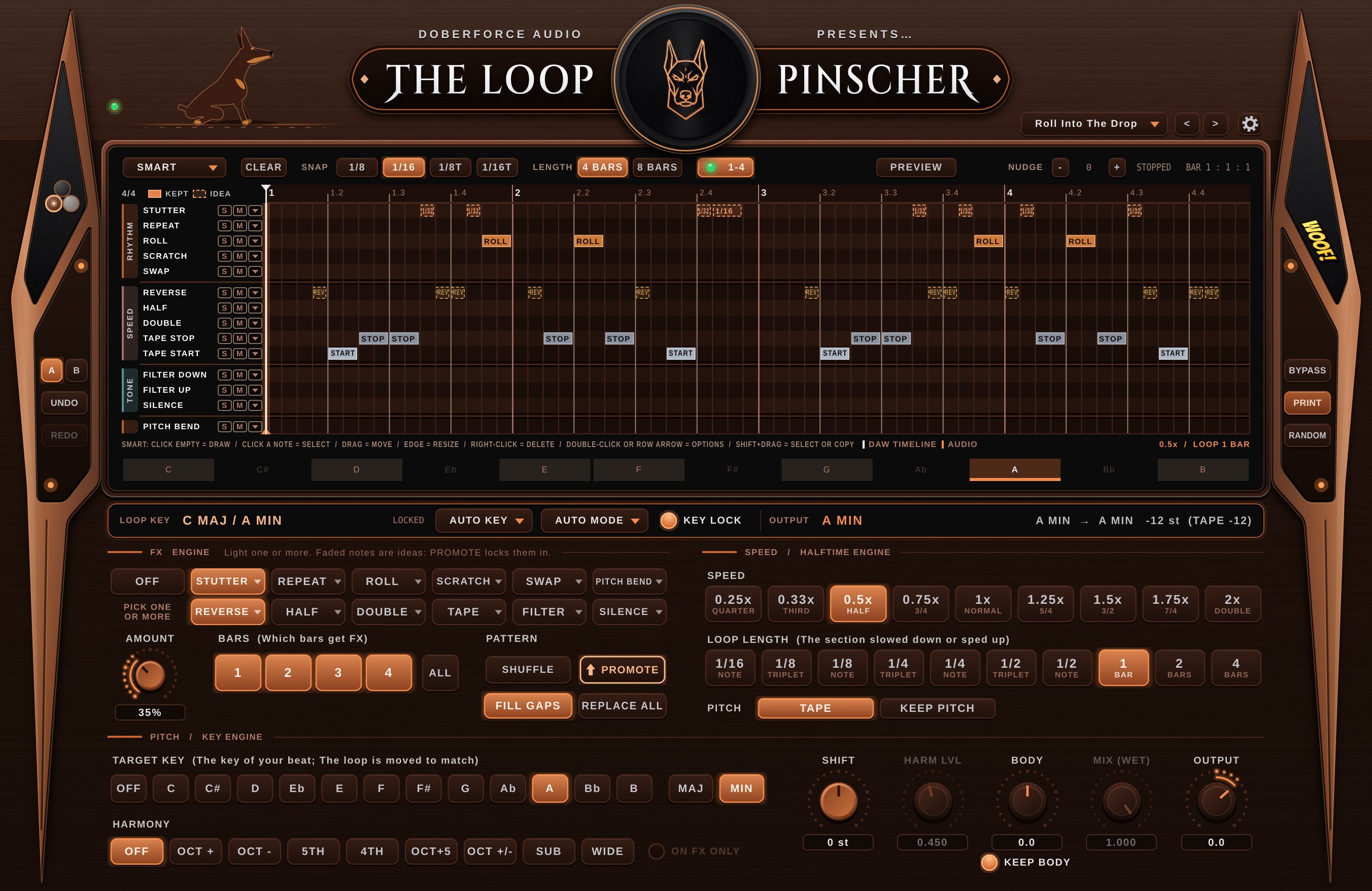
The Loop Pinscher plugin window with its FX roll, key bar, FX ENGINE and speed sections and target key buttons. Piano Roll Of FX ↓ Click To Zoom In Halftime → Double Time ↓

About Us

Made By Multi-Platinum Producers.

Doberforce Audio is run by working producers. We built The Loop Pinscher for the way we flip loops in our own sessions: Fast, On The Grid and Always In Key.

Production Credits Include

DJ Khaled Beyoncé JAY-Z Lil Wayne Post Malone Megan Thee Stallion Future Lil Baby Da Baby Akon Gunna

And Multiple Original Productions And Mixes Included On The Highest Selling Video Game Franchise FORTNITE.

Plus Engineering Credits For Nipsey Hussle, Alicia Keys, John Legend And Many More.

Artist and game names are listed as production credits only. They don't imply that any artist, label, Epic Games or Fortnite endorses Doberforce Audio or its products. Fortnite is a trademark of Epic Games, Inc.

See The Credits On Genius ↗

Hear It

Same Original Loop. 5 Transformations.*

Every clip below starts from the exact same loop. Press play on the original, then hear what The Loop Pinscher did to it five different ways.

* For these demos, the melody, the hi-hat pattern and the kick pattern were each processed on their own track, with a separate instance of The Loop Pinscher on each one. It works best on isolated parts like these, rather than on a full mixed beat.

Quick Start

Your First Flip In 60 Seconds.

Six steps from a plain loop to a finished one. Tip: Put each part (Melody, Hi-Hats, Kick) on its own track with its own Loop Pinscher.

  1. 1

    Load It On Your Loop.

    Drag The Loop Pinscher onto the mixer insert or track that holds your loop, the same way you'd load any plug-in.

  2. 2

    Press Play.

    Legend starts running and the key bar reads your loop's key in a few seconds.

    Once The Right Key Shows Up, Turn On KEY LOCK. It locks that key in, so the Target Key transpose stays accurate every time.

    The key bar reading C major, A minor with KEY LOCK turned on and LOCKED showing
  3. 3

    Pick A Speed.

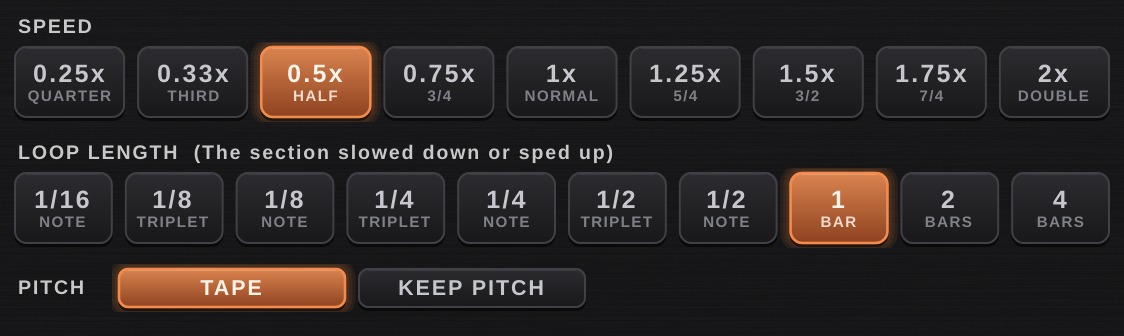
    Click 0.5x for Halftime or 2x for Double Time. Choose Tape for the classic pitch drop, or Keep Pitch to stay in tune.

    The speed buttons with 0.5x selected
  4. 4

    Add FX.

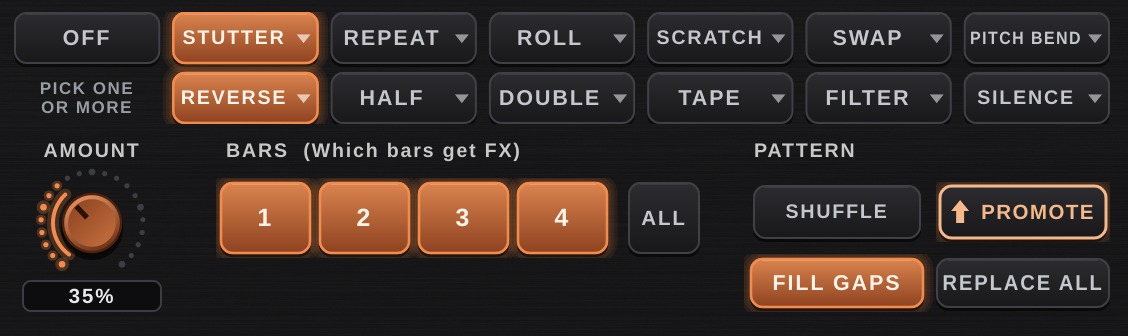
    In the FX ENGINE, light one or more moves and the BARS you want them on. Faded notes are ideas: hit PROMOTE to lock them in. Or draw your own moves straight into the FX roll.

    The FX ENGINE with Stutter and Reverse lit on bars 1 to 4
  5. 5

    Match Your Song's Key.

    Click your beat's key under TARGET KEY. The loop moves there by the shortest route.

    The target key buttons with A minor selected
  6. 6

    Print It.

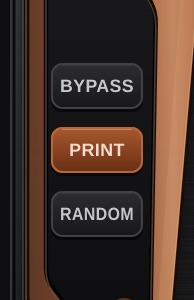
    Hit PRINT and let it play through. Then drag the finished WAV straight onto a track, or export as usual from your DAW.

    The BYPASS, PRINT and RANDOM buttons
Watch

See It In 60 Seconds.

The original loop, then five transformations, with every feature on screen: Speed, FX, Key Finder, Transpose, Drums, Skins and Legend himself.

What It Does

Everything On One Screen.

Halftime To Double Time.

Slow It Down or Speed It Up across nine speeds, over any loop length from a 1/16 note to four bars. Choose Tape for the classic pitch drop, or Keep Pitch to stay in tune.

0.25x · 0.33x · 0.5x · 0.75x · 1x · 1.25x · 1.5x · 1.75x · 2x

0.25xQuarter0.33xThird0.5xHalf0.75x3/41xNormal1.25x5/41.5x3/21.75x7/42xDouble

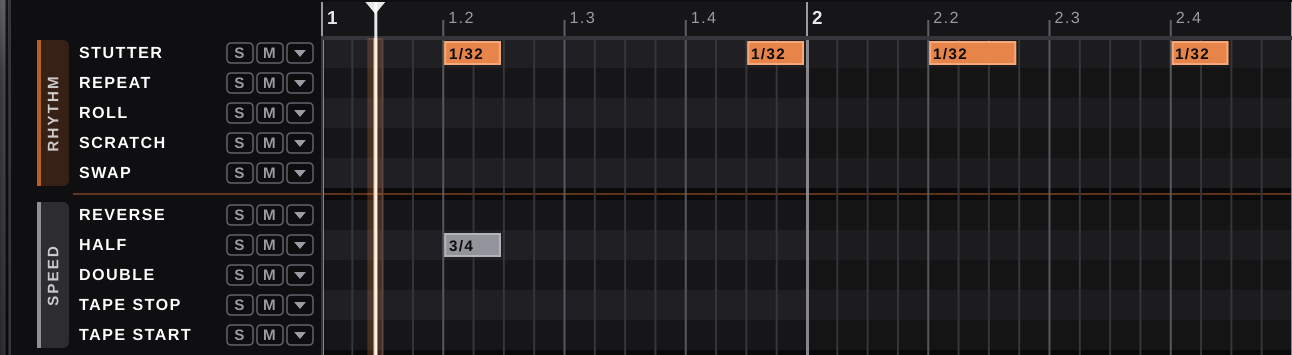
A Piano Roll Of FX.

Draw The FX In. Click moves straight onto the grid, piano roll style, over four or eight bars. Stack a reverse on a stutter, or a filter sweep on anything. Or let the FX ENGINE fill the roll for you: light as many moves as you like, hit SHUFFLE for a new take, then PROMOTE the ones you keep.

StutterRepeatRollScratchSwapReverseHalfDoubleTape StopTape StartFilter DownFilter UpSilencePitch Bend
The FX roll inside The Loop Pinscher

It Hears The Key For You.

Auto Key Detection, Relative Keys and a Confidence score. Then click your song's key and the loop moves there by the shortest route.

Loop Key: F Minor (Same Notes As Ab Major) → Your Song: A Minor · −8 Semitones

F Min → A Min
One Click · Tape Or Keep-Pitch · Harmony Layers

Works On Drums And MIDI Inputs Too.

Simple Patterns In, Complex Rhythms Out. Start with the plainest hi-hat and kick pattern you can make, and it comes out as hi-hat rolls, triplets and kick stutters. Multiple Hi-Hat and Kick presets are built in to start from.

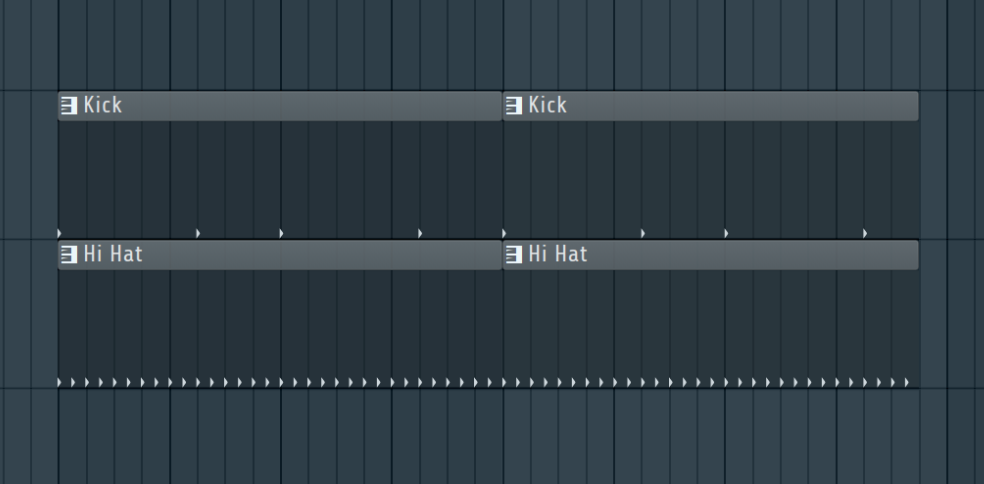
In: A Simple Pattern (Before The Plugin)
A plain FL Studio pattern: a kick on a few beats and straight 1/16 hi-hats

* The hi-hat and the kick were each run through their own copy of The Loop Pinscher, on separate tracks, to create this.

Out: Hi-Hat (Hi Hats 1/32 Rolls Preset)
The piano roll with 1/32 hi-hat rolls and 3/4 speed moves
Out: Kick (Kick Mix-Up Preset)
The piano roll with 1/8 and 1/16 kick stutters and repeats

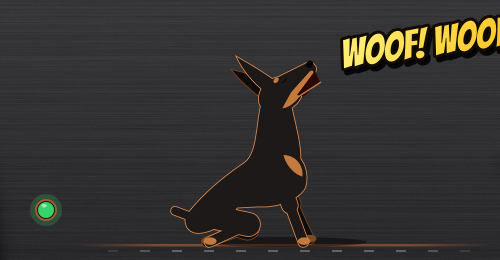
Your Own Interactive Doberman Mascot.

Meet Legend. He Responds To Everything You Do In The Plugin: He runs while the loop plays, glitches on a stutter, runs backwards on a reverse, sits when you stop and barks when you click his ear.

Legend the Doberman sitting and barking WOOF! WOOF!

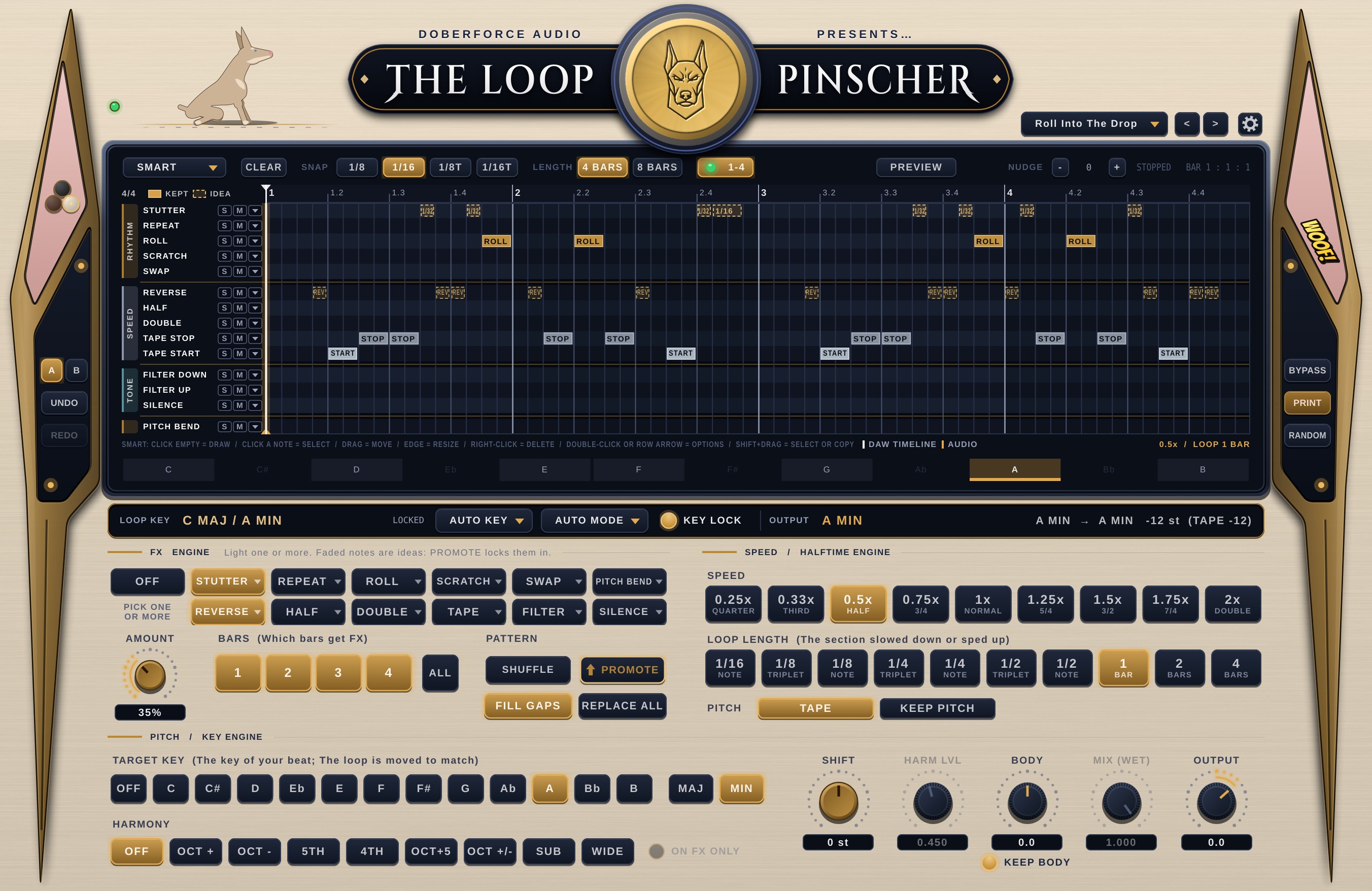
Three Looks: Classic Black, Rust Brown Or Albino White.

Switch Up The Look whenever you like. Classic Black is black and copper. Rust Brown turns the whole panel, and Legend, into a deep brown Doberman, with a black and copper medallion. Albino White is the white Doberman: Cream, Navy And Gold. Each one has its own medallion, and there may be a few more secrets in there, too.

The Classic Black skin
Classic Black
The Rust Brown skin, with its black and copper medallion
Rust Brown
The Albino White skin: cream panel, navy keys and gold accents, with Legend as a white Doberman
Albino White

Works Where You Work.

Free Download

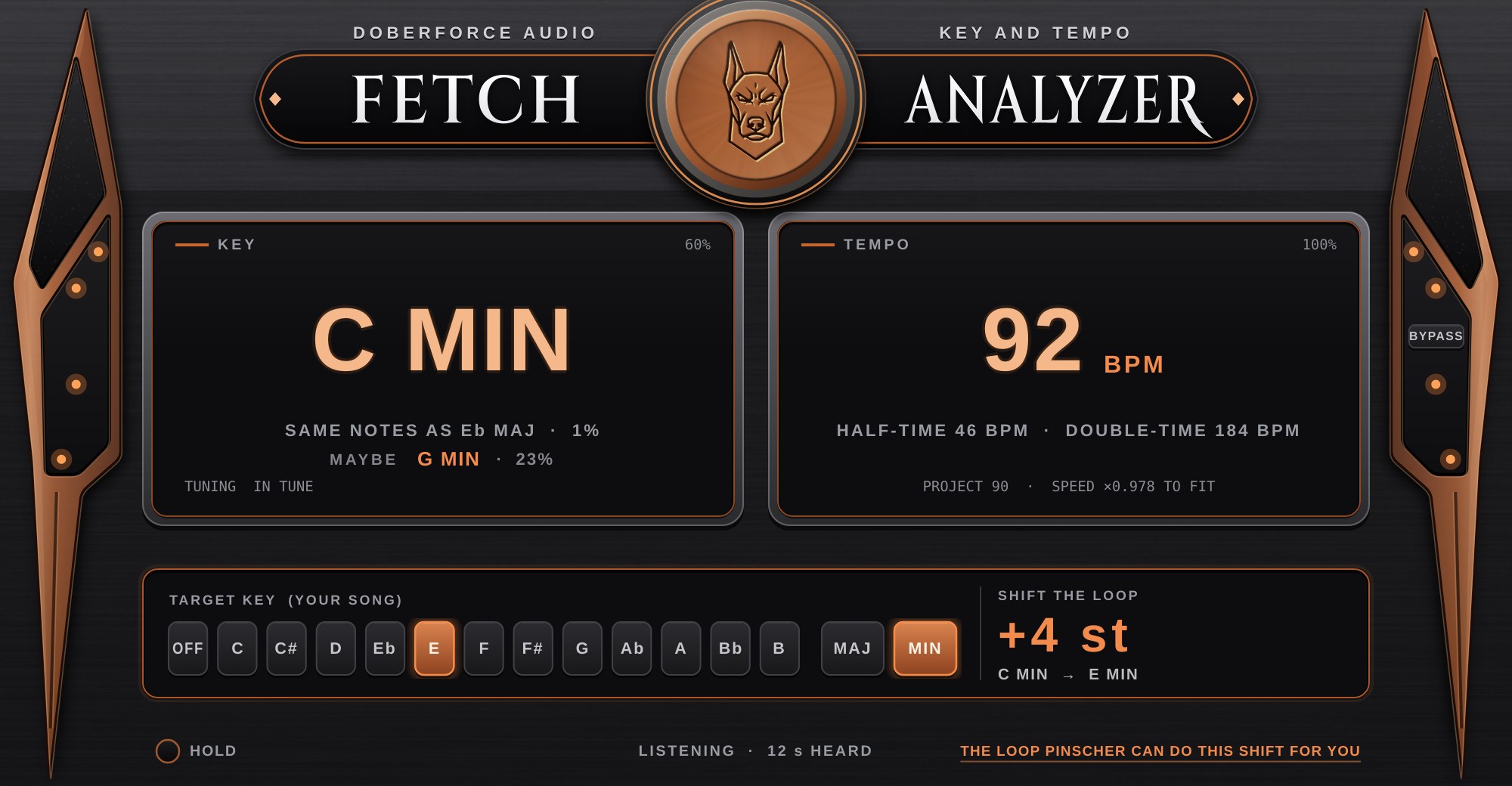
Fetch: Key & Tempo Analyzer.

$29Free

Put Fetch on any track, press play, and it reads the Key, the Tempo and the Tuning. Pick your song's key and it tells you the exact move to make. Your audio passes through untouched.

  • Key And Relative Key: "C Min, Same Notes As Eb Maj".
  • Tempo Against Your Project: Half-Time and Double-Time readings.
  • Tuning In Cents: Spots loops that sit slightly sharp or flat.
The Fetch plugin reading C minor at 92 BPM, with a shift of plus 4 semitones to E minor
Pricing

One Price. Yours To Keep.

Launch Offer

The Loop Pinscher

$39$59

Launch Price. Regular Price $59 After Launch.

Use Code UNLEASHED
  • Halftime To Double Time: Nine Speeds
  • FX Engine + Piano Roll Of FX Moves
  • Key Finder And One-Click Transpose
  • PRINT, RANDOM, A/B And 50 Undos
  • 110+ Presets, Including Hi-Hats And Kicks
  • Classic Black, Rust Brown And Albino White Skins, Plus Legend
  • VST3 And AU For Mac, VST3 For Windows
  • Free Updates For Version 1
Get It For $39

Fetch

Free$29
  • Key, Relative Key And Confidence
  • Tempo With Project-Fit Readout
  • Tuning In Cents
  • Target Key Shift Readout
Download Free

No Card Needed.

Secure Checkout By Lemon Squeezy.

Questions
What Kind Of Loops Does It Work On?

Melodic loops of every kind: Keys, Guitars, Synths, Strings and loops from Splice, Looperman or other producers. It works on basic hi-hat and kick patterns too.

How Is It Different From Halftime?

Halftime changes speed. The Loop Pinscher does that too, then adds an FX engine, a piano roll of FX moves that stack, and a key system that moves the loop into your song's key.

How Does The Launch Code Work?

Enter UNLEASHED at checkout and the price drops from $59 to $39. The code only runs during launch.

Do I Need Fetch If I Buy The Pinscher?

No. The Pinscher reads the key on its own. Fetch is for everything else: Finding the key and tempo of any track, sample or full song in your session.

Why Is Double Speed Late On The First Bar?

A plugin can't play audio that hasn't arrived yet. Turn on LOOK-AHEAD in the gear menu and your DAW compensates, so fast speeds work from beat one.